

Pro plan. Hosted forms, surveys and quizzes are part of Pro and Agency (and the free trial). Forms you already have keep working on every plan. See Plans and billing.
Question types
A form can have up to 20 questions, and each choice question 2 to 20 options (Yes / No: exactly two). Kerux checks every answer when the form is sent: only your own options and numbers on the scale are accepted.
Add questions to a form
1
Open the form
Go to Integrations > Developers > Trigger URLs and click Edit the form (or Add a hosted form) on the campaign’s trigger URL (owners and admins). See Trigger URLs and forms.
2
Add a question
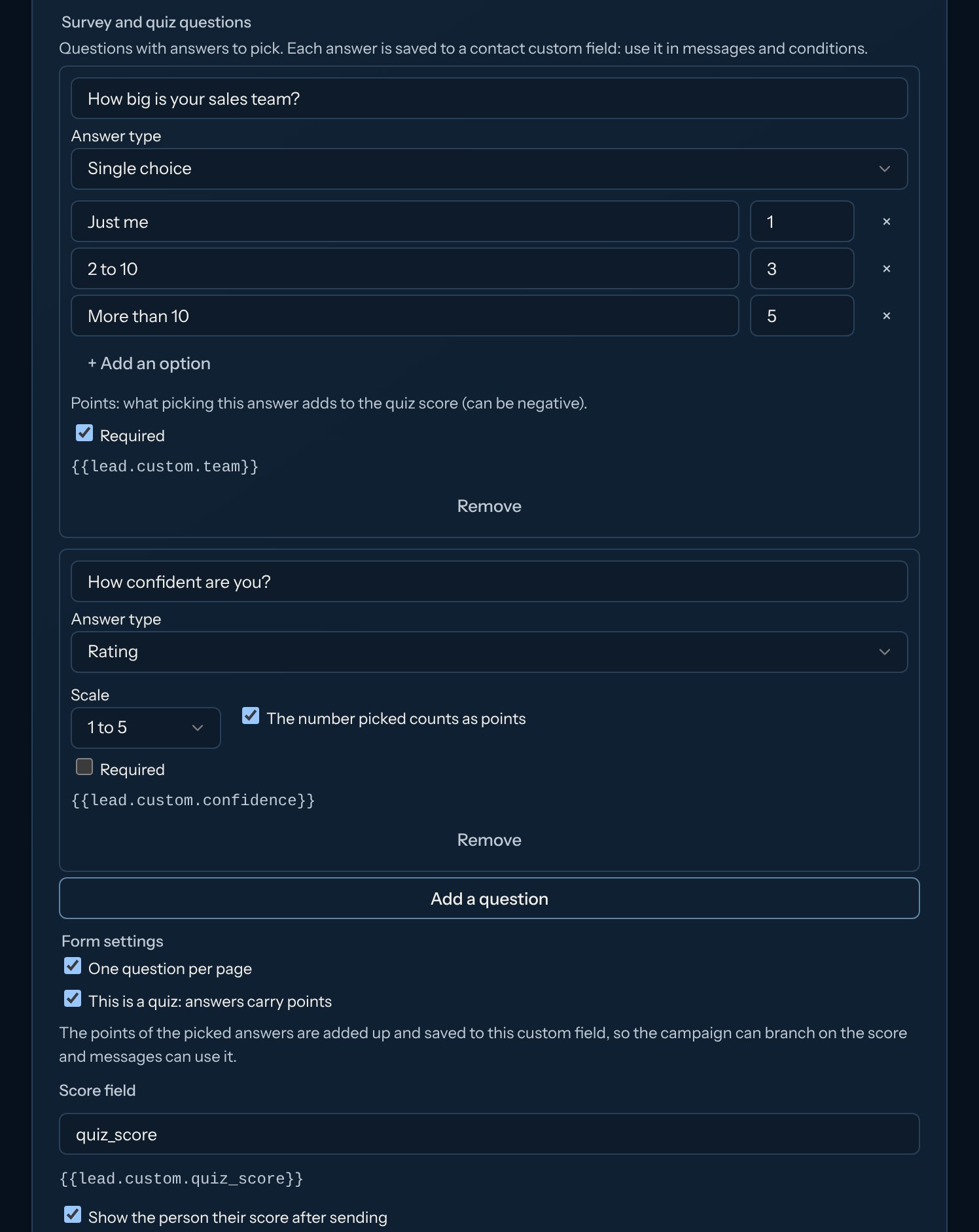
Under Survey and quiz questions, click Add a question. Type the question, pick the Answer type and write the options. Tick Required if it must be answered.
3
See where the answer goes
Under each question you see where its answer is saved, e.g.
{{contact.custom.team}}. A new question creates that custom field the first time you save.4
Save
Click Save form. The public page shows the questions right away.
Make it a quiz
1
Turn it on
In Form settings, tick This is a quiz: answers carry points.
2
Give points
Each option now has a points box (it can be negative). For a rating, tick The number picked counts as points.
3
Pick the score field
The total is saved in Score field (
quiz_score by default, so {{contact.custom.quiz_score}}). Show the person their score after sending is ticked at first: the thank-you page shows “Your score: 7 / 10”. Untick it to keep the score to yourself.Follow up based on the answers
- Branch on the score: add a Condition step with A contact field… on the score field (
custom.quiz_score), e.g. is at least 8 for your hottest contacts. - Use answers in messages: write
{{contact.custom.quiz_score}}or{{contact.custom.team}}. A message is never sent with an empty answer: the contact waits in Needs attention instead (see Personalize your messages).
People already in your database
Someone who is already a contact joins the campaign, but the form never changes their details. Only their empty answer fields and an empty score are filled in: an answer or a score saved before stays as it is.Forms inside a campaign
A Wait for webhook step can also collect answers with a Kerux form, with the same question types, one question per page and quizzes. Each contact gets their own link ({{forms.<step>}}). The answers and the score arrive with the step, e.g. {{steps.<step>.payload.score}}.
With the API
Forms, questions and quizzes can also be managed with the public API:PUT /v1/triggers/{id}/form.